 GiftKit
Donation form? Already built.
GiftKit adds a complete donation form to Gravity Forms: one-time and monthly gifts, preset amounts, an optional processing fee and Stripe payments. Adjust a few settings, add it to a page, and start taking gifts.
Free and open source. See the code on GitHub.
A working sample of the choices donors make. Pick an amount, switch to monthly, add the fee.
Everything you'll change, on one tab
Each GiftKit form gets a Donation tab in its Gravity Forms settings. The rest of the setup is done for you.
- Preset amounts
- The amount buttons donors choose from, in the order you list them.
- Another amount
- Let donors type in their own.
- Minimum gift
- Turns away tiny gifts, which also keeps out bots testing stolen cards.
- Monthly gifts
- Offer them or not, and name them as donors will see them in Stripe.
- Processing fee
- The percentage donors can add to their gift, and a note on why it helps.
- Manage-your-gift link
- Monthly donors update their card or cancel through Stripe, without contacting you. Set it up
- Accent color
- The color of buttons and selected amounts, to match your site.
- Thank-you message and email
- What donors read after they give, and the thank-you email with a summary of their gift.
Three short pages for donors
-
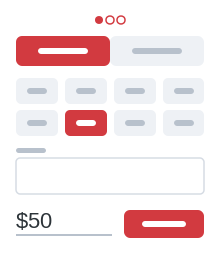
The gift
One-time or monthly, a preset amount or their own, and an optional note.
-
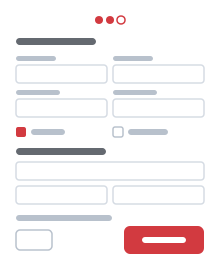
The donor
Name, email, phone and billing address, with a summary of their gift and a way back to change it.
-
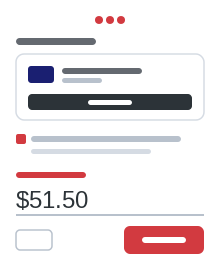
Payment
Card payment through Stripe, the option to cover the fee, and a total that says whether it's charged once or every month.
An ordinary Gravity Forms form underneath
GiftKit builds the form you'd otherwise assemble by hand: three pages, the pricing fields, conditional logic, a one-time and a monthly Stripe feed, a thank-you message, a thank-you email for donors and an admin notification.
Entries, notifications and your other add-ons work as they always have. Edit any field you like: GiftKit finds the ones it manages by their role, not their position, so its settings keep working.
What you need
- Gravity Forms 2.9 or later
- The Gravity Forms Stripe Add-On, connected to your Stripe account
- WordPress 6.5 or later, and PHP 8.1 or later
GiftKit isn't affiliated with or endorsed by Gravity Forms or Stripe.